Product Photo Background Remover: AI Tools Compared for Online Sellers
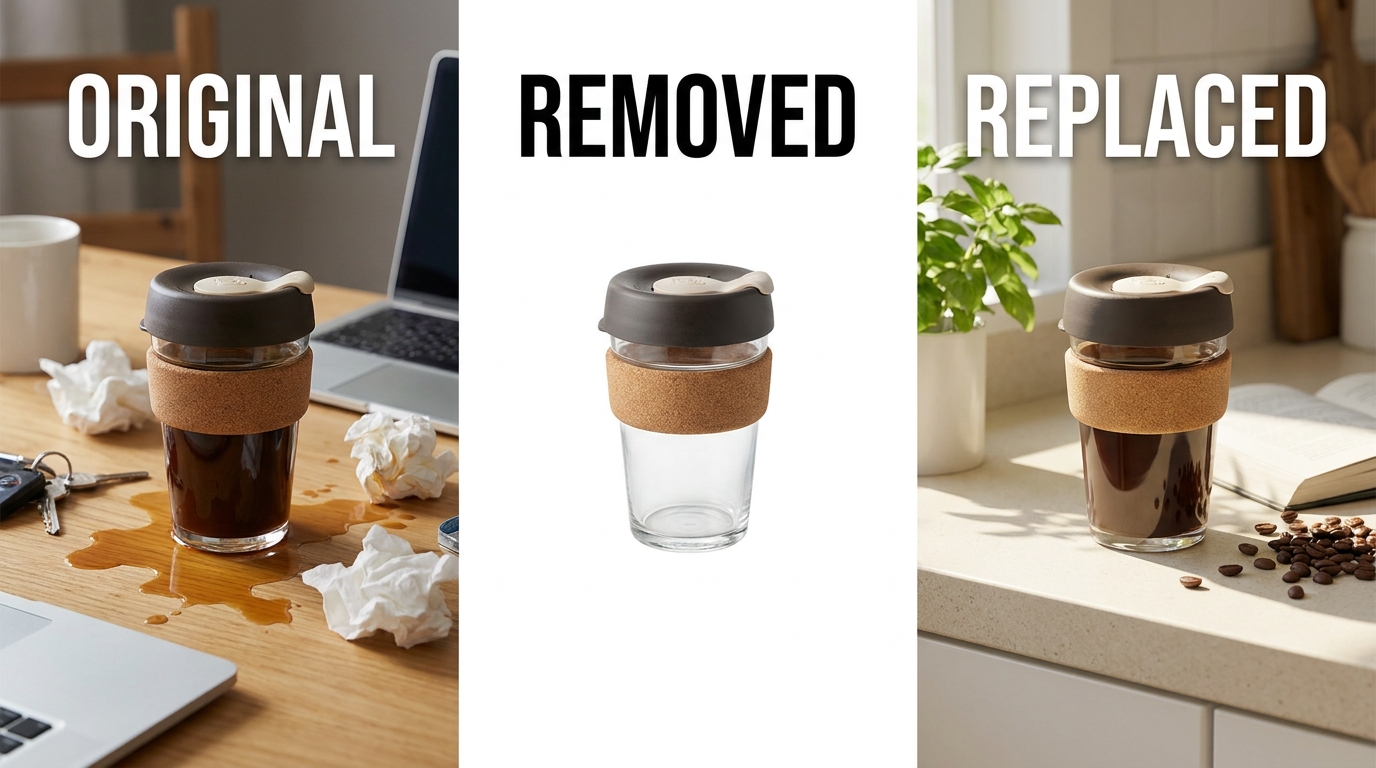
A product photo background remover uses AI to automatically isolate a product from its background and replace it with a solid color — usually pure white for marketplace compliance.
Stocktree Team
What a Background Remover Actually Does — and Why Marketplaces Require It
A background remover detects the edges of a product in a photo and separates it from everything behind it — a cluttered desk, a shadow-heavy wall, a hand holding the item. Most marketplaces, including Amazon, Shopee, and Tokopedia, require a pure white (RGB 255,255,255) background for the main listing image specifically because it keeps search results visually consistent and puts every seller's product on equal footing.
Doing this manually in Photoshop means tracing the product outline by hand, which is slow and error-prone around fine details like hair, jewelry chains, or fabric with loose threads. AI-based removal handles edge detection automatically, including on notoriously difficult subjects like transparent glass, reflective metal, and semi-transparent fabric.
Manual Editing vs. AI Background Removal
What Makes a Background Remover 'Marketplace-Ready'
- True pure white, not off-white — some tools leave a faint gray or cream tint that fails automated marketplace checks.
- Realistic shadow handling — a product floating with no shadow at all can look artificial; the best tools add a subtle, physically plausible shadow.
- Fine-edge accuracy — hair, fur, mesh fabric, and thin jewelry chains are the hardest cases and the clearest test of quality.
- Correct output dimensions — square crops sized to each marketplace's exact requirements, not a generic export that needs manual resizing afterward.
- Consistency across a batch — processing 200 SKUs should produce a uniform look, not visibly different results image to image.
Free vs. Paid Tools: What's the Real Difference
Free single-image tools — the category that includes well-known names like remove.bg and Photoroom's free tier — are genuinely useful for one-off edits: a single hero image, a quick social post, a marketplace resubmission. Their limitations show up at scale: usage caps, watermarks on free exports, and no batch processing, which makes them impractical for a seller managing a catalog of hundreds of SKUs.
Paid and platform-native tools remove those caps and add batch processing, but the bigger differentiator at the paid tier isn't volume — it's what happens after removal. Some tools stop at a blank white or transparent background. Others generate a full replacement scene, turning a plain packshot into a styled lifestyle image without any extra editing step.
Beyond Removal: Why Background Replacement Often Beats a Blank White
A pure white background satisfies marketplace compliance, but it doesn't do much to sell the product. Listings with lifestyle or contextual imagery — a serving bowl on a set table, a jacket on a model rather than a hanger — consistently perform better on engagement than plain packshots. Industry data from Bigcommerce found that product pages with more than one image, especially ones showing context or use, can generate up to nine times the organic traffic of pages relying on minimal photography.
This is the gap between a background remover and a full AI product photography workflow. Removal gets a product marketplace-compliant. Replacement — generating a studio scene, a lifestyle setting, or a model shot around the same product — gets it conversion-ready. Platforms built around Generation-as-a-Service treat background replacement as the default step after removal, rather than a separate paid add-on.

A Simple Batch Workflow: Removal + Replacement at Catalog Scale
- Bulk upload the catalog. Export existing product photos and upload them as a batch rather than one at a time.
- Auto-remove backgrounds. The AI isolates each product and produces a clean, marketplace-compliant cutout.
- Choose a replacement style per category. White background for the primary listing image, lifestyle scenes for secondary images and ads.
- Review and export. Spot-check a sample of the batch, then export all sizes needed in one pass.
Comparison at a Glance
Frequently Asked Questions
Q1. What's the difference between background removal and background replacement?
Removal isolates the product and leaves a blank or solid-color background. Replacement goes further and generates a new scene — a studio setting or lifestyle context — around the product.
Q2. Will marketplaces reject AI-processed background images?
No, as long as the final image meets the marketplace's technical requirements — usually a true white background for the primary image and accurate product representation.
Q3. Can I remove backgrounds from hundreds of product photos at once?
Yes — this is the main advantage of AI-based tools over manual editing. Batch processing can handle an entire catalog upload in one pass.
Q4. Do I need special photography skills to get a clean cutout?
No, but a clear, well-lit source photo with minimal motion blur produces noticeably better AI cutouts, especially around fine edges like hair or jewelry.
Q5. Is a plain white background still necessary if I use lifestyle images?
Yes for the primary listing image on most marketplaces — it's usually a hard requirement. Lifestyle images work well as secondary gallery images alongside the compliant white-background hero shot.