How AI Is Transforming Product Photography for Electronics & Home Appliances
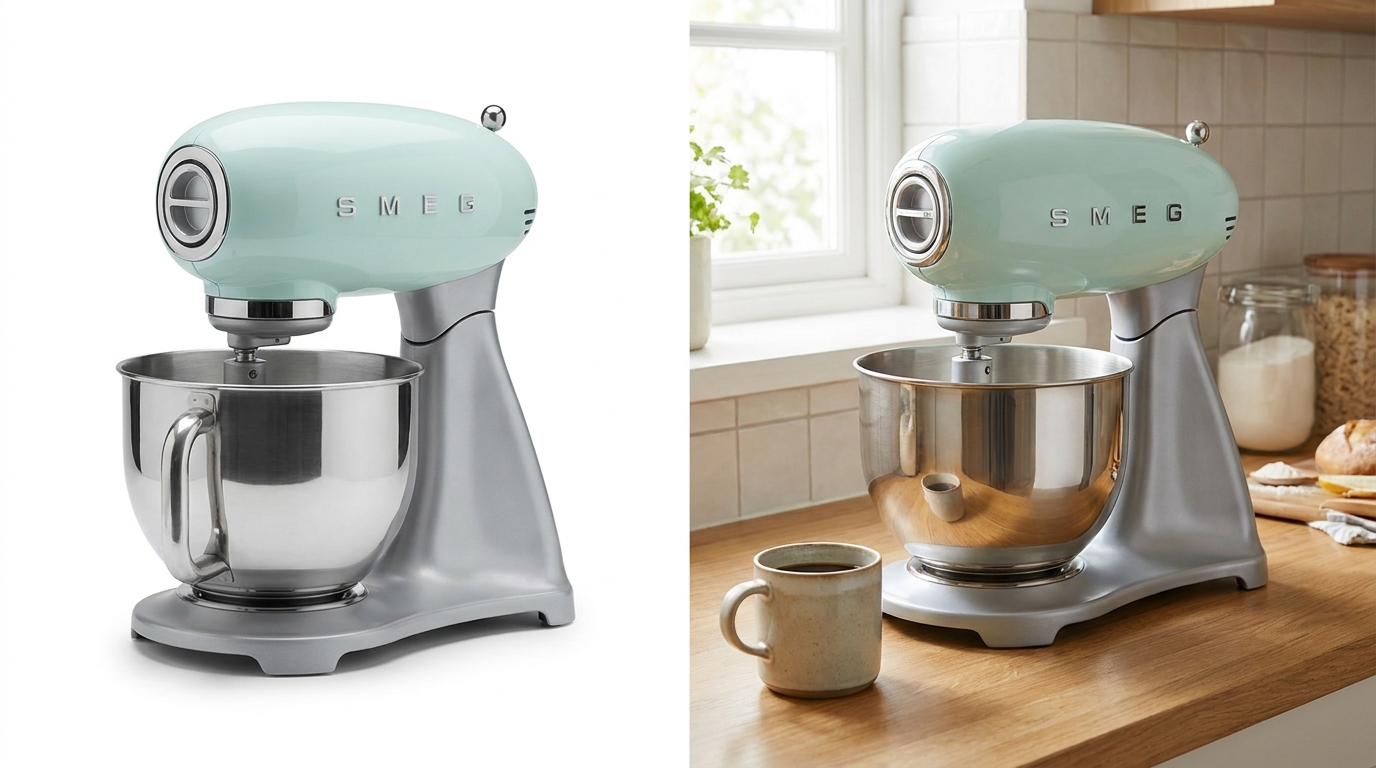
AI product photography lets electronics/appliance sellers create compliant white-background packshots and realistic lifestyle scenes—like a blender in a kitchen or hair dryer in a bathroom—helping buyers judge scale and fit before buying, without a physical photo shoot
Stocktree Team
Why Electronics and Appliances Are a Different Photography Problem
Fashion and beauty photography is mostly about how a product looks. Electronics and appliance photography has to solve a harder problem: helping a buyer understand size, scale, and how the product fits into a real space, on top of looking good. A stand mixer that looks sleek on a plain white background can still get returned if the buyer misjudged how much counter space it needs.
These categories also come with specific rendering challenges that don't apply to soft goods: reflective surfaces like brushed steel and glass, screens that need to show believable content instead of a blank black rectangle, and precise proportions that can't be stretched or distorted the way a generated background sometimes can be forgiven for a garment.
AI Use Cases for Electronics & Appliances
- Studio packshots — clean, spec-focused images for the primary marketplace listing, showing the product accurately with no distracting context.
- In-room lifestyle scenes — placing the product in the room where it's actually used, so buyers can judge scale and fit at a glance.
- Feature callout shots — close-ups highlighting a specific detail — ports, buttons, a display panel — that matters for the buying decision.
- Angle sets — consistent multi-angle views (front, side, top) generated from a single reference photo instead of a full multi-angle shoot.

Matching Room and Setting to Product Category
Context only helps if it's the right context. A hair dryer photographed on a kitchen counter looks like a mistake, not a lifestyle shot. Matching the generated setting to how a product is actually used is what makes an in-room image feel credible rather than random:
Handling Reflections and Fine Detail
Screens, chrome trim, and glass surfaces are the hardest part of electronics photography to get right, whether shot traditionally or generated with AI. A few things to check before publishing:
- Screen content — a generated display should show believable interface content, not a blank or garbled screen, especially for the hero listing image.
- Reflection consistency — reflective surfaces should reflect the actual scene around them, not an unrelated or physically implausible reflection.
- Proportion accuracy — double-check that the generated image hasn't subtly stretched or compressed the product — critical for anything where exact dimensions matter to the buyer.
A Simple Workflow: One Product, Full Listing Set
- Upload a clean reference photo of the product from a straight-on angle with good, even lighting.
- Generate the compliance packshot first — pure white background, accurate proportions, correct dimensions for the primary marketplace image.
- Generate an in-room lifestyle scene using the room type that matches the product's actual use case.
- Generate feature close-ups for any detail that's a genuine differentiator — a display, a control panel, a unique design element.
- Review reflections and screen content carefully before publishing, since these are the areas most likely to need a regenerate.
Frequently Asked Questions
Q1. Can AI generate accurate in-room scenes for large appliances?
Yes, though it's worth reviewing scale carefully for larger items — checking that the generated room proportions look realistic relative to the product's actual dimensions before publishing.
Q2. How does AI handle reflective surfaces like stainless steel or glass?
Modern AI product photography models are generally good at plausible reflections, but reflective and glass surfaces are still the category most worth double-checking before publishing.
Q3. Should the primary marketplace image be a packshot or a lifestyle shot?
Most marketplaces require a plain white-background packshot for the primary image, with lifestyle and in-room shots used as supporting gallery images.
Q4. Can I generate multiple angles of a product from one photo?
Yes — this is one of the practical advantages over a traditional shoot, which would otherwise need a physical multi-angle setup for each product.
Q5. Does this work for both electronics and home appliances, or are they different?
The underlying technology is the same; the main difference is which rooms and contexts are appropriate — kitchen appliances belong in a kitchen scene, personal care electronics in a bathroom or bedroom, and so on.